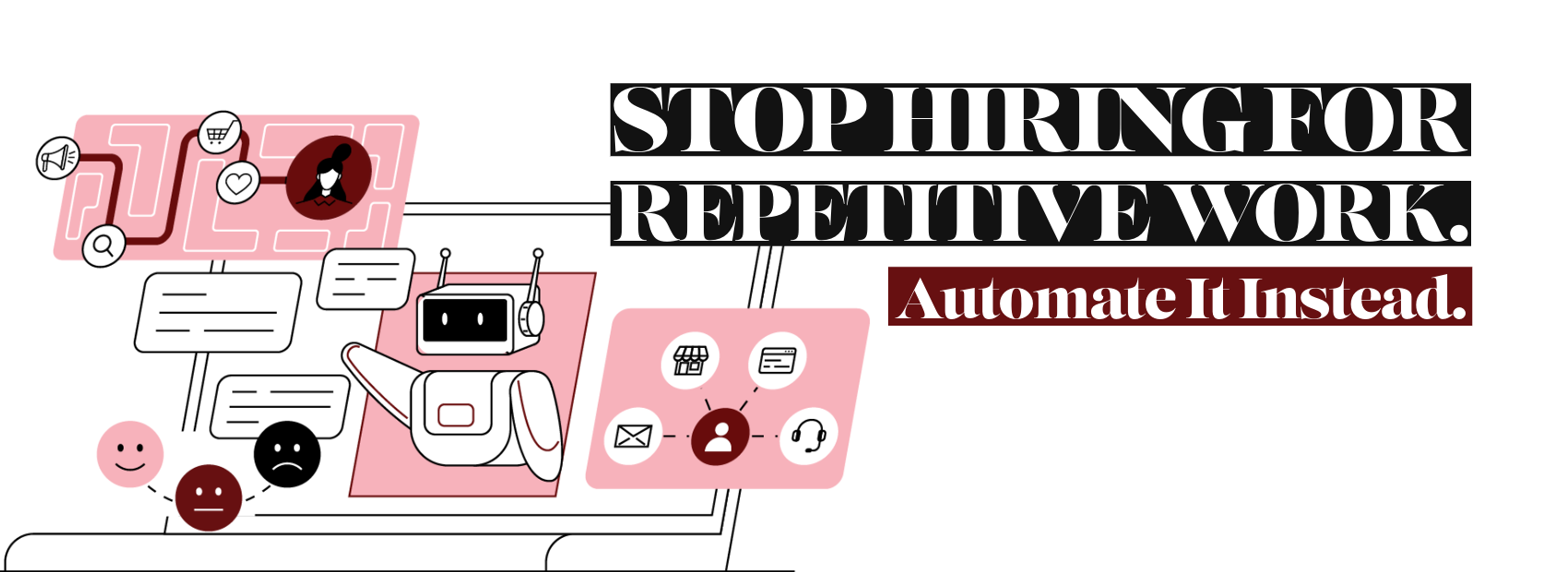
MSP Process Automation can help growing IT providers solve workload problems without adding another technician for every new client.
Many IT providers believe technician shortages create their biggest growth barrier. However, the deeper problem often involves how companies use existing talent.
Skilled technicians still spend hours copying data, updating tickets, running checks, and building routine reports. Additionally, they repeat predictable onboarding, maintenance, and documentation tasks.
Hiring another technician may temporarily increase capacity. Yet the new employee often inherits the same inefficient processes.
Therefore, IT providers should examine the work before expanding the workforce. The right automation strategy creates capacity without sacrificing service quality or employee oversight.
MSP Process Automation Addresses More Than Staffing Shortages
The technology industry continues to face talent and skills challenges. However, hiring alone cannot repair a weak operating model.
A technician shortage becomes more damaging when trained professionals perform work that software could handle. For example, technicians may manually create accounts, assign licenses, configure alerts, and update several systems.
Those tasks matter, but they do not always require expert judgment. Consequently, repetitive work consumes the capacity needed for security, planning, and client conversations.
Automation changes that equation. It handles predictable steps while allowing technicians to manage exceptions and higher-risk decisions.
Consider an MSP onboarding ten new users each month. Each user may require accounts, groups, licenses, policies, applications, and ticket updates.
A technician might spend 60 minutes completing those steps. Therefore, ten users consume ten technician hours before troubleshooting begins.
An automated workflow can complete many steps within minutes. Meanwhile, the technician reviews the results and handles unusual requirements.
As a result, the MSP gains capacity without lowering service standards.
How to Identify Repetitive Work
Not every manual task deserves automation. Therefore, companies should first identify work that follows clear and repeatable rules.
Start by reviewing service tickets, timesheets, documentation, and technician feedback. Look for tasks that appear often and produce similar outcomes.
Strong automation candidates usually share several traits:
- The task occurs several times each week.
- The process follows defined steps.
- Staff copy information between systems.
- Delays create service problems.
- Human error causes frequent rework.
- The process creates a clear audit trail.
- Exceptions occur less often than standard cases.
For example, password reset requests may follow a consistent identity verification process. Likewise, device deployment may use approved software, security settings, and naming rules.
Additionally, MSPs can automate ticket classification, alert enrichment, maintenance checks, and routine client reports. Small businesses can automate approvals, employee onboarding, data entry, and recurring notifications.
Before automating anything, document the current process. Then remove unnecessary steps and correct unclear responsibilities.
Otherwise, automation will only make a poor process run faster.
What Should Never Be Fully Automated
Automation should support professional judgment, not eliminate accountability. Some decisions require context, empathy, authorization, or careful risk analysis.
For example, an automated system should not independently approve a major security response. It also should not terminate accounts without verified authorization.
Companies should maintain human control over:
- Destructive security actions
- Contractual commitments
- Unusual financial approvals
- Employee discipline or termination
- Sensitive client communications
- High-impact access changes
- Compliance interpretations
- Decisions involving unclear information
Additionally, companies should never automate an unstable process. A process with changing rules will create failures, confusion, and support demands.
Security also requires special care. CISA recommends structured approaches for developing efficient security operations automation. Its guidance emphasizes repeatable processes, clear information, and effective operational controls.
Therefore, businesses should define approval points before deployment. They should also establish rollback procedures, logs, alerts, and process owners.
Use Human-in-the-Loop Automation
Human-in-the-loop automation combines machine speed with human judgment. The system completes routine steps, while a person reviews exceptions or sensitive actions.
For example, an automation may detect an inactive administrator account. It can gather account details, usage history, and related security alerts.
However, a technician should approve the final action. That review prevents an automated mistake from disrupting an important service.
Human review works especially well when:
- The process includes security or compliance risks.
- Input data may be incomplete.
- Clients require different configurations.
- An action could interrupt operations.
- The system encounters an unexpected condition.
NIST’s AI Risk Management Framework encourages organizations to define human roles and responsibilities when deploying AI systems. It also addresses the risks of overreliance and automation bias.
Consequently, every important workflow should have a named owner. That person should review performance, failures, exceptions, and business impact.
MSP Process Automation Versus AI
Workflow automation and artificial intelligence solve different problems. However, companies often treat the terms as interchangeable.
Workflow automation follows defined rules. For example, it can create a ticket when monitoring software detects a failed backup.
The workflow may collect device information, assign the ticket, notify the client, and schedule a follow-up. Each step follows a known process.
AI works better with less structured information. It can summarize ticket notes, classify requests, analyze documents, or suggest a response.
Therefore, AI can interpret information before a workflow takes action. Yet AI output may contain errors or unsupported conclusions.
A practical process might work like this:
- AI summarizes a long support request.
- AI suggests the ticket category and priority.
- A workflow gathers device and client information.
- A technician reviews the recommendation.
- The system routes the approved ticket.
In addition, AI can help discover automation opportunities. Microsoft describes using process mining and AI to identify bottlenecks within business workflows.
The best strategy does not choose AI instead of workflow automation. Instead, it uses each technology where it provides the greatest value.
Calculate the Return on Automation
Automation ROI should measure more than reduced labor. It should also include faster service, fewer errors, stronger consistency, and improved client experience.
Start with a simple calculation:
Annual time savings = task frequency × minutes saved × employee cost
Suppose a technician completes 20 repetitive tasks each week. Each task requires 15 minutes.
Automation saves five hours each week. Therefore, the annual savings equal roughly 260 technician hours.
At an internal labor cost of $50 per hour, the direct savings reach $13,000 annually. That calculation does not include faster response times or reduced rework.
Microsoft cited a commissioned Forrester study that reported a 224% ROI for Power Platform. The study also reported a payback period under six months. However, results will vary by organization, scope, and implementation quality.
Track these measures before and after deployment:
- Time required per task
- Number of manual steps
- Error and rework rates
- Ticket resolution time
- Technician utilization
- Client satisfaction
- Automation failures
- Exceptions requiring review
Additionally, include development, licensing, testing, training, and maintenance costs. A workflow only creates value when its ongoing benefits exceed its total cost.
Build an Automation Maturity Model
Companies rarely move from manual operations to advanced automation immediately. Instead, they progress through several maturity stages.
Stage One: Manual
Employees complete tasks from memory, email, or informal notes. Results depend heavily on individual experience.
Stage Two: Documented
The company creates checklists, standards, and process owners. Therefore, work becomes easier to measure and improve.
Stage Three: Connected
Systems share information through integrations. As a result, employees stop copying the same data between applications.
Stage Four: Automated
Workflows complete predictable tasks and notify employees about exceptions. Additionally, management tracks time savings and failure rates.
Stage Five: Intelligent
AI analyzes information, identifies patterns, and supports decisions. However, governance and human oversight remain active.
An organization should not skip the documented stage. Automation requires stable rules, clean data, and clear ownership.
Begin with one high-volume process. Then test it, measure it, and improve it before expanding.
Where Samurai Sync Fits
Samurai Sync helps MSPs connect NinjaOne with the workflows surrounding their service delivery operations.
That connection matters because monitoring alone does not complete a business process. An alert may still require research, documentation, ticket updates, communication, and follow-up actions.
Samurai Sync can help coordinate those steps. Therefore, technicians receive better context and spend less time moving information between platforms.
The goal is not automation for its own sake. Instead, the goal is a reliable process that produces a measurable business result.
For example, an MSP could use Samurai Sync to support device onboarding, alert handling, maintenance workflows, or standardized remediation processes.
Meanwhile, technicians retain oversight for exceptions and sensitive actions. This approach supports human-in-the-loop automation without creating unnecessary operational risk.
Samurai Sync fits best when an MSP already understands its process. It then helps turn that process into a consistent and scalable workflow.
Stop Adding People to Broken Processes
Hiring remains important when demand requires more knowledge, relationships, and strategic capacity. However, hiring should not compensate for avoidable repetitive work.
MSP Process Automation helps companies remove wasted effort before expanding payroll. Additionally, it gives skilled technicians more time for security, planning, and client service.
Start by choosing one process that employees repeat every week. Document each step, identify risks, and establish a measurable baseline.
Then automate predictable actions while preserving human approval where judgment matters. As a result, your team can support growth without creating a larger operational burden.
Frequently Asked Questions
What is MSP process automation?
MSP process automation uses software to complete predictable service and business tasks with limited manual effort. These tasks may include ticket routing, device onboarding, alert enrichment, account creation, documentation, reporting, and maintenance checks.
The purpose is not simply to reduce headcount. Instead, automation allows technicians to spend more time on work requiring judgment, experience, and client interaction.
For example, an automated alert workflow can gather device details, recent changes, client information, and previous incidents. It can then add that information to the service ticket before assigning it.
Consequently, the technician starts with useful context rather than gathering information manually. Response times may improve, while errors and repeated steps decrease.
Successful automation requires documented processes, clear ownership, reliable data, and ongoing measurement. Additionally, companies should define exceptions and approval points before launching a workflow.
The strongest strategy starts with frequent, stable, low-risk tasks. It then expands after the organization proves the workflow works reliably and produces measurable value.
Will automation replace MSP technicians?
Automation will change technician responsibilities, but it should not remove the need for skilled professionals. MSPs still need people to manage complex incidents, security decisions, client relationships, planning, and unusual technical conditions.
However, technicians may spend less time completing predictable administrative tasks. For example, software can collect system information, create standard records, and update several tools simultaneously.
The technician can then review the result and focus on diagnosis or resolution. Therefore, automation usually changes how employees use their time rather than removing their value.
Companies should also consider employee experience. Repetitive work can frustrate skilled technicians and limit professional development.
Additionally, removing low-value tasks may help MSPs improve retention. Technicians gain more opportunities to solve meaningful problems and develop advanced skills.
Leaders should explain the goal before implementation. They should show employees how automation supports better work, stronger service, and sustainable growth.
Involving technicians in workflow design also improves adoption. Their practical experience helps identify hidden exceptions, risks, and process weaknesses.
What MSP processes should be automated first?
Begin with a process that occurs often, follows stable rules, and creates measurable delays. Good starting points include user onboarding, device enrollment, ticket classification, alert enrichment, reporting, and routine maintenance checks.
The process should also have limited risk. Therefore, avoid beginning with destructive security actions or complex client-specific changes.
First, document every step. Then calculate how often the task occurs and how much time it consumes.
Next, identify which steps require judgment. Those steps should remain manual or require formal approval.
A strong first project should produce a visible result within a manageable scope. For example, an MSP could automate the collection of system information when a monitoring alert creates a ticket.
That workflow may save only several minutes per incident. However, hundreds of incidents can produce significant annual savings.
Additionally, a successful small project builds trust in the automation program. The company can apply the lessons to larger workflows later.
Measure time savings, errors, failures, and employee feedback before expanding the project.
How do you calculate automation ROI?
Calculate automation ROI by comparing total benefits with total implementation and operating costs. Direct benefits often include saved labor, reduced rework, faster service, and fewer manual errors.
First, measure the current process. Record task frequency, average completion time, employee cost, and error rates.
Next, estimate the time and errors the proposed workflow can remove. Use conservative assumptions because early estimates may overlook exceptions or maintenance needs.
Then include every cost. These costs may include software, development, consulting, testing, training, monitoring, and future updates.
A basic formula is:
ROI = (annual benefits − annual costs) ÷ annual costs × 100
For example, an automation may save $20,000 annually while costing $8,000. The net benefit equals $12,000, producing a 150% annual ROI.
However, companies should also track business outcomes. Faster onboarding may improve client satisfaction, while consistent security checks may reduce risk.
Review the calculation after deployment using actual results. Consequently, management can decide whether to improve, expand, or retire the workflow.
How does Samurai Sync support MSP automation?
Samurai Sync helps MSPs build workflows around NinjaOne and their broader service operations. It can support the movement of information and actions across connected processes.
For example, monitoring data may trigger a workflow that gathers context, updates records, creates tasks, or supports a standard response. Therefore, technicians spend less time performing repetitive coordination work.
Samurai Sync does not remove the need for sound processes. MSPs should first define the desired outcome, decision points, exceptions, and ownership.
The platform fits within a larger automation strategy. That strategy should include governance, security controls, documentation, measurements, and human approvals.
Additionally, MSPs should begin with workflows that solve clear operational problems. Useful measures include technician time saved, faster response, fewer mistakes, and improved process consistency.
Samurai Sync can then help convert a repeatable operating procedure into an integrated workflow. Meanwhile, technicians remain responsible for sensitive decisions and unusual conditions.
This balance allows MSPs to increase capacity while maintaining professional oversight and service quality.
Your next employee should not spend valuable time copying data, updating routine tickets, or repeating predictable technical steps.
Identify one process that consumes technician time every week. Then determine how Samurai Sync can help convert it into a controlled, measurable workflow.
Explore how Samurai Sync can help your MSP reclaim capacity, improve consistency, and scale without adding unnecessary operational overhead.